



Replay a session
A tester’s path, screen by screen, with their clicks. · 2 min readThe Sessions tab lists each tester’s visit, from newest to oldest: date, duration, link, device, entry and exit screen, completion. Click a row to replay the path.
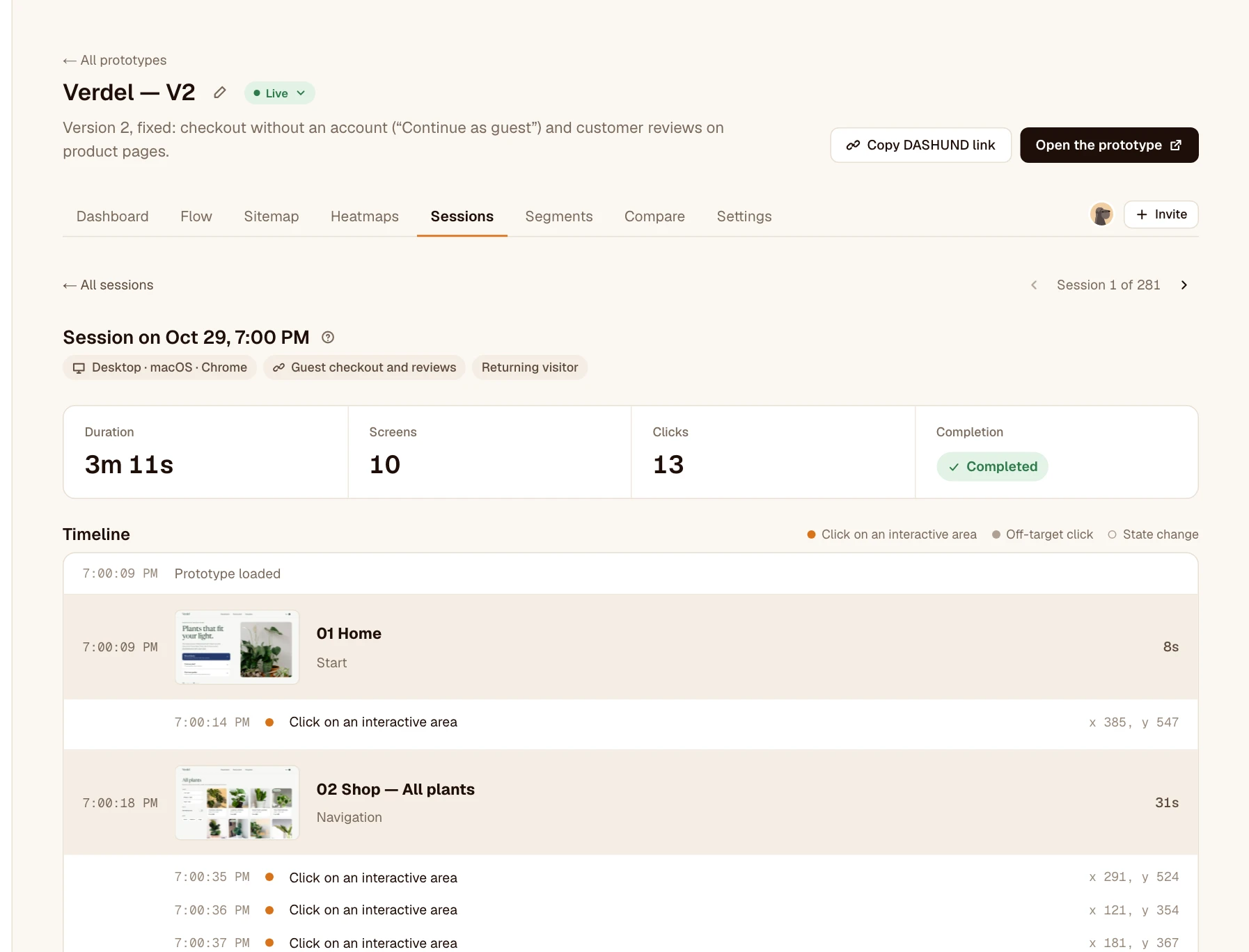
A session’s details
- The device, OS, browser, the link it came through, and whether it’s a new or a returning visitor.
- The duration, the number of screens and clicks, the completion.
- The timeline: each screen seen, with its thumbnail, how it was reached (start, navigation, back) and the time spent; below, each of its clicks (orange on an interactive area, gray off-target) and state changes.
At the top right, “Session 3 of 10” and its arrows move to the previous or next session, in the list as you filtered it.
Delete sessions
Your own test runs skew the numbers? In the list, tick the sessions to remove, then press and hold “Delete”. Deleting is permanent: every view is recalculated without them. Owner and editors only.
Was this article helpful?