



Compare two versions or two audiences
Version 1 vs version 2, or LinkedIn vs clients. · 4 min readThe Compare tab puts two sides face to face. Each side has its own prototype, period and audience.
- Two versions: version 1 against version 2 of your design. Publish a new version.
- Two audiences of the same prototype: LinkedIn against clients.
To split your testers at random between two versions with a single link, use the A/B tests sub-tab: Test two versions (A/B).
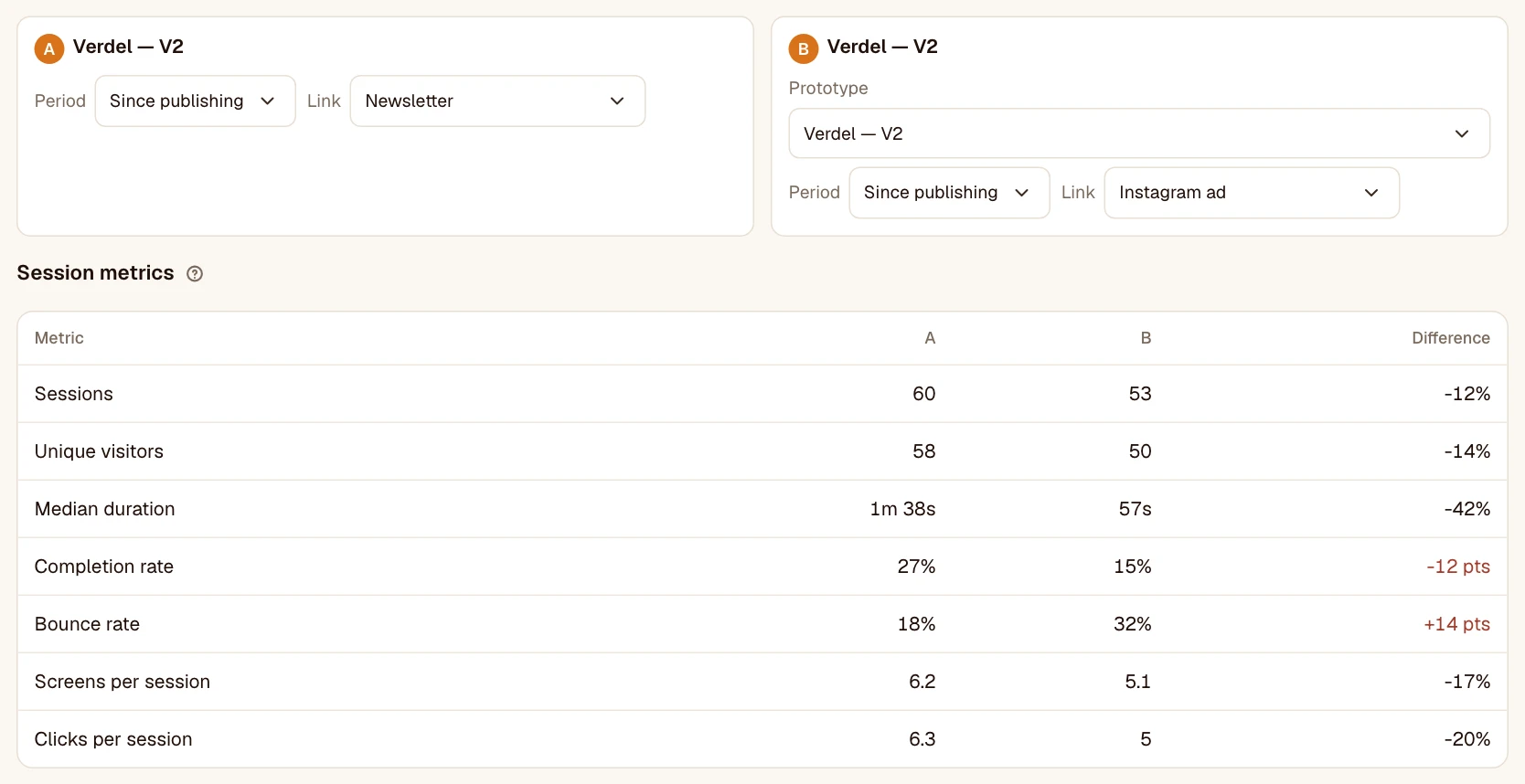
Reading the differences
- Rates are compared in points: 78% → 84% is +6 pts.
- Volumes and durations as a percentage: 40 s → 30 s is −25%.
- The “Small sample” label applies to each side separately.
Screen by screen
Screens on both sides are matched automatically by name. Correct the matching if a screen was renamed; screens with no equivalent are listed separately. Heatmaps and a target path can be compared too.
Save a comparison
Give it a name to come back to it: it’s recalculated each time you open it, with the sessions that arrived in the meantime.
Was this article helpful?